A board where the cards do themselves.
Describe what should exist, read the proposed plan and start the work. Agents build on your own machine. Review what they delivered, then approve the merge.
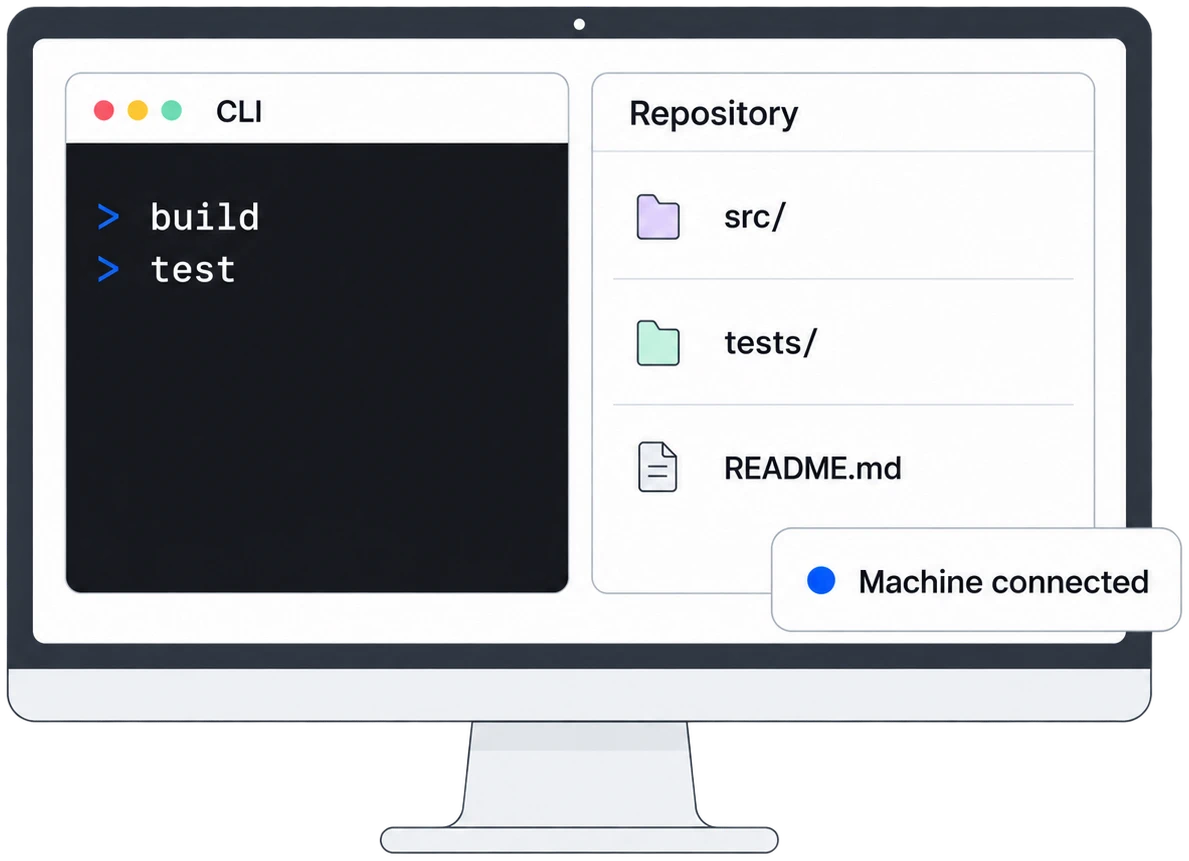
Bring a repository and a connected computer you control, with Claude Code or Codex signed in. Work runs there. Usage counts against that CLI account. You choose Start and review each delivery.
Your repository and CLI login stay on the computer. Code-bearing diffs, conversations, traces and artifacts are relayed to Flowviant and readable by its servers. Installation · Security
The real app · sample project
Try the board.
This is Flowviant itself, running in your browser. Plan a card, answer an agent’s question, send work back or approve a merge. The shop, its people, cards and agent runs are fictional and scripted: no model runs, and nothing you do leaves this page.

Many terminal tabs, or one board.
The same four requests on a sample shop, worked two ways.
In terminal tabs
Each task needs its own tab. A busy tab holds your next prompt in its queue, and a question waits unseen until you switch to the tab that asked it.
On the Flowviant board
Each request is planned into cards in one place. Working, Stuck with its question, Review and Done sit side by side, so you can see where every prompt stands without switching anything.
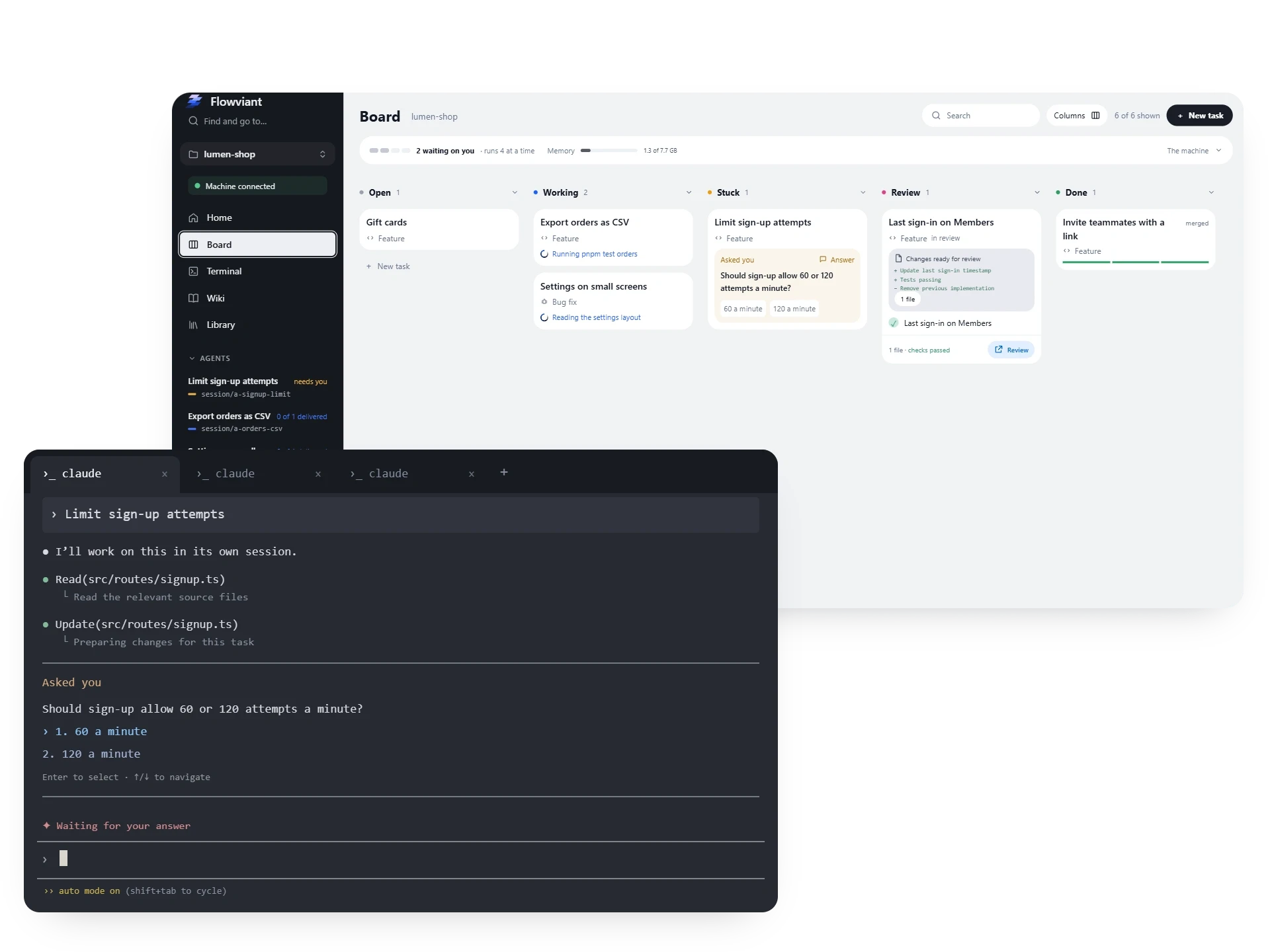
Illustration · sample data. Claude Code’s interface is recreated here for illustration; Flowviant is not affiliated with or endorsed by Anthropic.
You choose how many agents run at once in Project Settings → Agents, and the machine holds work back when its computer is under load.
Every agent and every teammate on one board.
Claude Code, Codex and Antigravity run on your connected computer and take their work from the same board. Teammates start tasks, answer questions and review deliveries from a laptop, a phone or a desktop browser.
Illustration · sample data. The Claude Code, Codex and Antigravity interfaces are recreated here for illustration; Flowviant is not affiliated with or endorsed by Anthropic, OpenAI or Google.
One card, from a sentence to main.
Draft with your CLI, plan the cards, then choose what to start. Delivered work waits for your review.
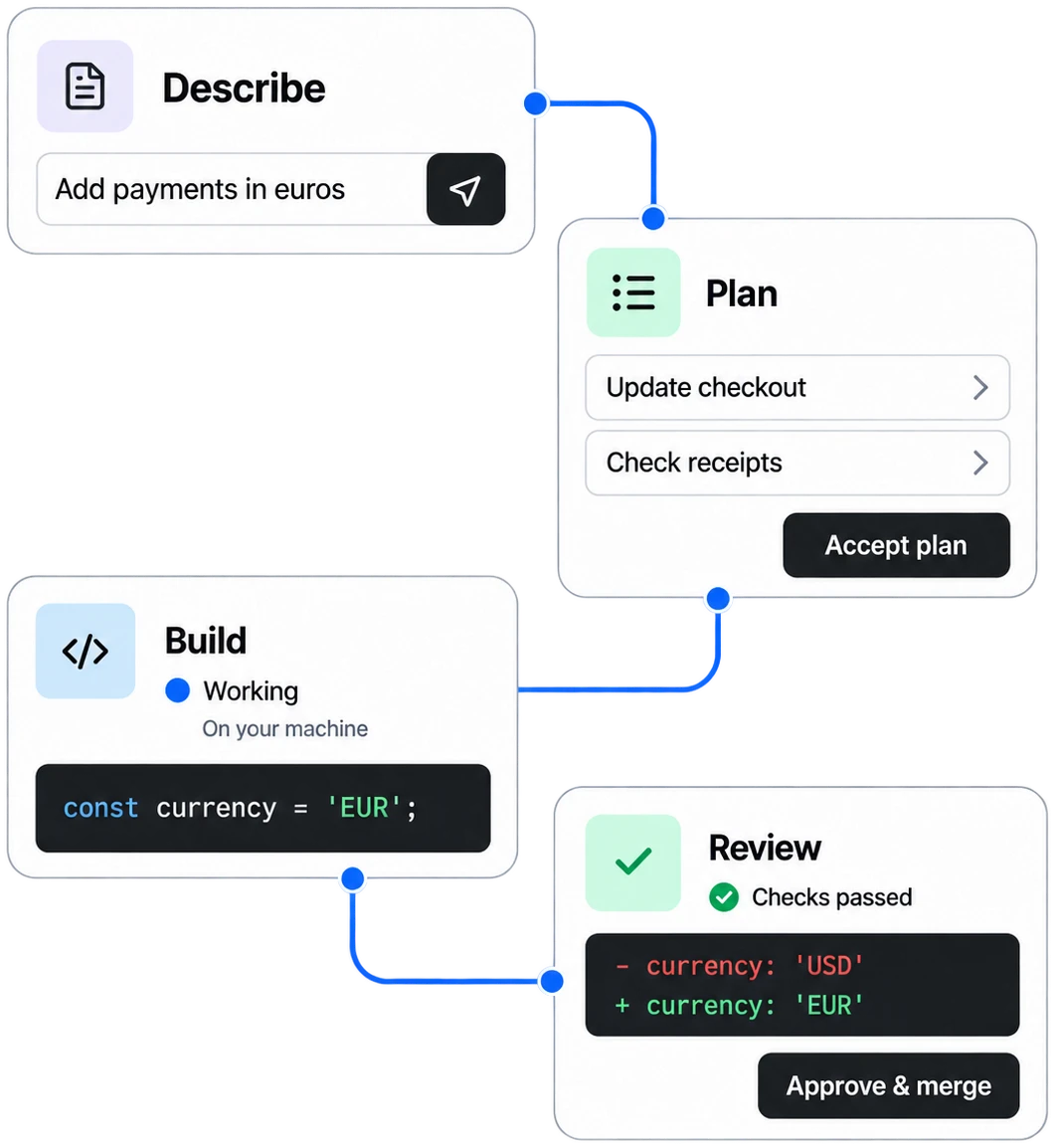
Illustrated example · Sam and the project are fictional. Times, code changes and check results are sample data; completion times and results vary.
- 1
Describe the work
Sam opens New task and sends a description. The CLI drafts cards in the composer; Sam can edit them.
Write a first cardNew task · example at 10:41 pm Any typeClaude CodeLet customers pay in EUR. Keep USD purchases unchanged and show the currency on receipts.
Add filesLibrary Send ↵ - 2
Plan the drafted cards
Sam presses Plan 1 card. The planner proposes how to group and order the work before any building starts.
Open · example at 10:48 pm Take payments in eurosreadySam · 2 messagesTake payments in eurosFeature1 card draftedPlan 1 card - 3
Read the plan and start
Sam reads the proposed split, adjusts it if needed and presses Start Payments in euros. The checkout and receipt work stays together in one group with one card.
Proposed group · example at 10:52 pm Payments in euros1 card
1Take payments in eurosClaude Code Proposed 10:52 pmDeclineStart Payments in euros - 4
The agent builds
The connected computer runs the accepted work in its own worktree and branch. At 11:30 pm, the agent asks Sam which currency new checkouts should use by default.
Try the question, then return to review → Answer an agent’s questionWorking · example run at 11:12 pm - 5
Review, then approve
Delivery puts the agent in Review. Sam reads the summary, reported checks and committed file diffs, then presses Approve & merge. Delivery alone hasn’t merged the branch.
In the recorded example, Sam answered “Keep USD as the default” at 11:42 pm. After the machine ran that next turn, the delivery kept USD as the default while adding EUR checkout and receipts.
Review and merge guideReview · example delivery at 2:18 am DeliveredAdded EUR pricing to checkout and receipts. USD stays the default; existing purchases keep their currency. All 18 checkout tests passed.
Files 11 commitsrc/price.ts+9−3@@ -1,5 +1,11 @@-export type Currency = 'USD';+export type Currency = 'USD' | 'EUR'; -export function priceLabel(cents: number) {- return '$' + (cents / 100).toFixed(2);+export function priceLabel( + amount: number, + currency: Currency = 'USD', +) { + return new Intl.NumberFormat('en-US', { + style: 'currency', + currency, + }).format(amount / 100); }Approving merges the branch intomain.Approve & merge - 6
A successful merge makes Done
Approval asks the machine to merge. The card reaches Done once the merge into main succeeds; a failed merge still needs attention. This example’s successful merge isn’t a deployment.
Done · example merge at 8:05 am Payments in eurosmergede7a91bcsession/a-paymentsmain
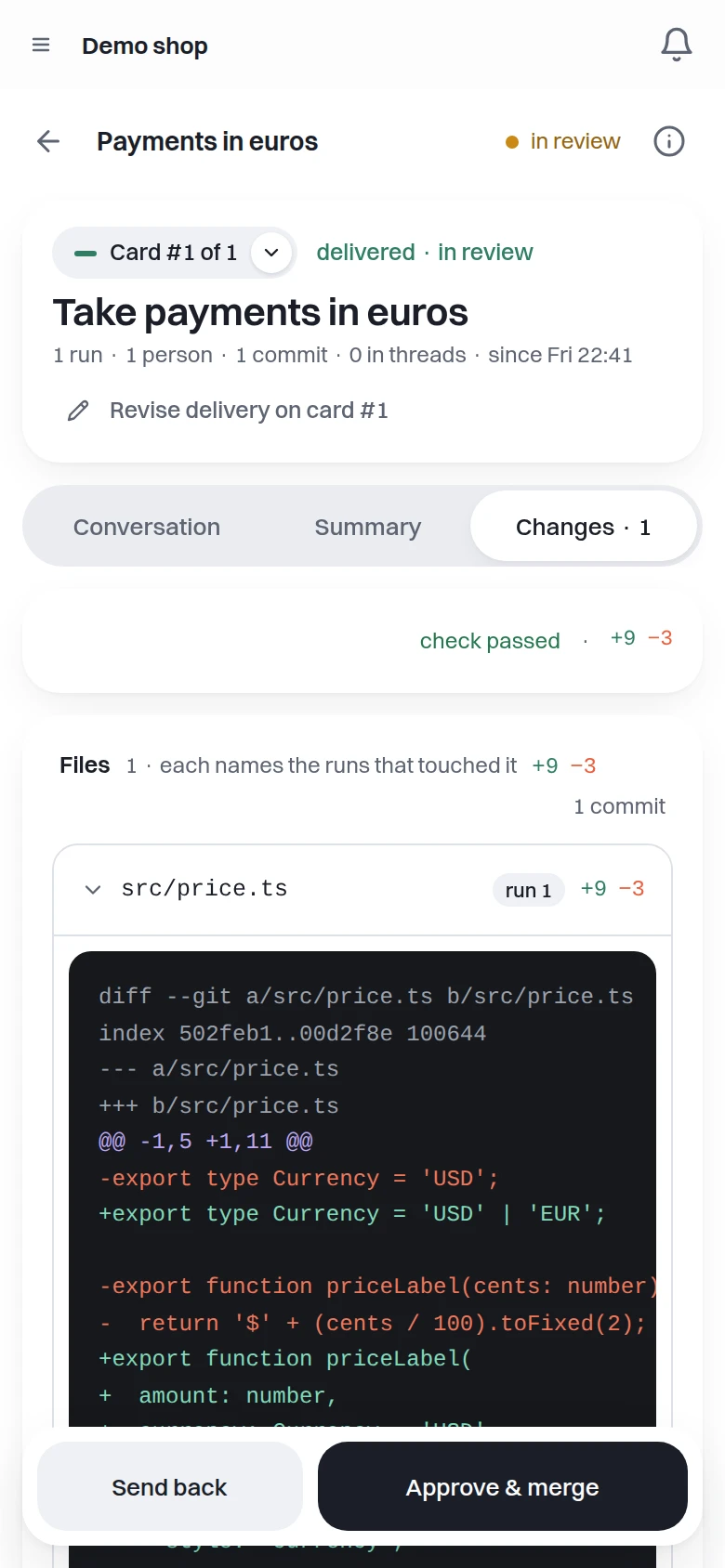
Inside the card.
The real app · demo project
The card, commits and check results are fictional. These captures demonstrate the interface.

Anyone can be a founder now.
Building something used to mean working inside a company big enough to pay for it. When agents do a team's work overnight, one person with an idea can build their own company instead.

“Which currency should a new checkout use by default?”
The EUR checkout work pauses for Sam’s decision. Try an option, write a reply or skip. Your answer is queued until the machine starts its next turn. Here, choices queue on click; in the app, select a choice and press Send answer.
Interactive illustration · fictional card, question and times. Nothing leaves this page.
Which currency should a new checkout use by default?
Choose an option to answer immediately, or write a reply.
In the recorded journey, Sam answered “Keep USD as the default”. The illustrated review follows that choice; trying another reply here leaves it unchanged.
Continue Sam’s example at review →It runs on your own computer.
On Windows, use Flowviant Machines with WSL and a repository on its Linux filesystem. On Linux or macOS, install Flowviant from a terminal inside your repository. Work runs on that connected computer.
Download for Windows Installation for Windows, Linux and macOS Security and data boundaries- Claude Code
- Codex
- Antigravity
Plan with Claude Code or Codex; Antigravity can run code cards. Usage counts against each CLI’s signed-in account. Your repository and CLI login stay here; code-bearing records are relayed to Flowviant.
Questions
How is this different from hosted coding agents?
Hosted agents like Devin Cloud work on the vendor's machines with the vendor's models. Flowviant runs on your team's own PC, through the CLI already signed in there, and hands out work from one shared board. See the full comparison.
Does my code leave my computer?
Your repository and CLI login stay on your computer. Diffs, conversations, traces and artifacts can contain code and are relayed to Flowviant, whose servers can read them. Read Security and data boundaries.
What happens if the serving PC is off?
Cards stay queued. Work picks up when the PC is back on, or when someone makes another PC the machine.
Which CLIs does it work with?
Plan with Claude Code or Codex. Antigravity can run code cards. Each CLI runs on the connected computer; usage counts against its signed-in account.
Can more than one card run at once?
Yes. You choose how many agents run at once in Project Settings → Agents, and the machine holds work back when its computer is under load.
Do I need to know how to code?
You need to be able to say what should exist and tell whether it works. Each delivered card shows the diff, the checks that ran and what the agent says it did.
What should exist by morning?
Public beta. Bring a repository and a connected computer you control, with Claude Code or Codex signed in. Work runs on that computer. Usage counts against your CLI account. You choose Start and review the delivery.
This carries an unsent draft through signup. You still choose Send, Plan and Start in the app.